

Your Success, Our Mission!
6000+ Careers Transformed.
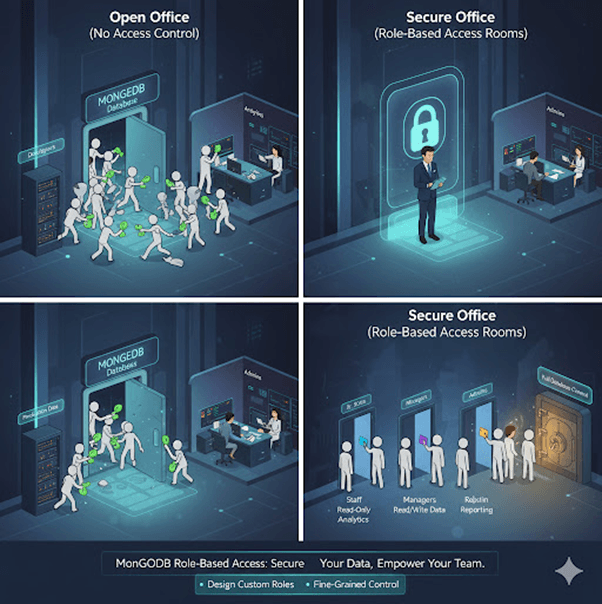
Imagine managing a big office building. You wouldn’t give every employee the master key, right?
Instead, you’d issue specific access cards — one for staff, another for managers, and a few master keys for admins.
MongoDB works the same way.
Once authorization is enabled (from Lesson 1), you can define users and roles to control who can access what. This ensures developers, analysts, and admins can all use the same database securely and efficiently — without stepping on each other’s toes.
Create users in MongoDB
Assign built-in roles like read, readWrite, and dbAdmin
Design custom roles for fine-grained control
By the end, you’ll be able to build a role-based access system that keeps your database safe while empowering your team.
Users in MongoDB are defined per database and authenticated with a username and password.
Roles define the level of access a user has — for example, reading data, writing data, managing indexes, or administering users.
MongoDB provides built-in roles for common permissions and also supports custom roles for specific access requirements.
| Role | Description |
|---|---|
| read | Allows user to read data only |
| readWrite | Allows user to read and write data |
| dbAdmin | Allows user to perform administrative tasks on a database |
| userAdmin | Allows user to create and modify roles and users |
| clusterAdmin | Grants cluster-wide administrative privileges |
1. Create a Read-Only User
use myDatabase db.createUser({ user: "reportViewer", pwd: "StrongPassword@123", roles: [{ role: "read", db: "myDatabase" }] })
This user can only view data in myDatabase.
2. Create a Read/Write Developer User
use myDatabase db.createUser({ user: "developer", pwd: "DevPass@2025", roles: [{ role: "readWrite", db: "myDatabase" }] })
This user can add, update, or delete documents.
3. Create a Database Administrator
use admin db.createUser({ user: "dbAdminUser", pwd: "SecureAdmin#2025", roles: [{ role: "dbAdminAnyDatabase", db: "admin" }] })
This user can manage indexes, view stats, and modify schemas across databases.
4. Create a Custom Role
You can design a custom role for specialized needs.
use admin db.createRole({ role: "dataAuditor", privileges: [ { resource: { db: "salesDB", collection: "" }, actions: ["find"] } ], roles: [] })
Then assign it to a user:
db.createUser({ user: "auditor", pwd: "Audit@2025", roles: ["dataAuditor"] })
This user can only read from salesDB and nothing else.
Let’s say your team has:
Developers → Need to read and write data
Analysts → Need read-only access
Admins → Need full control
| User | Role | Database | Access |
|---|---|---|---|
| developer | readWrite | projectDB | Read/Write |
| analyst | read | projectDB | Read-only |
| admin | dbAdminAnyDatabase | All | Manage Databases |
This ensures no unauthorized changes or accidental deletions occur.
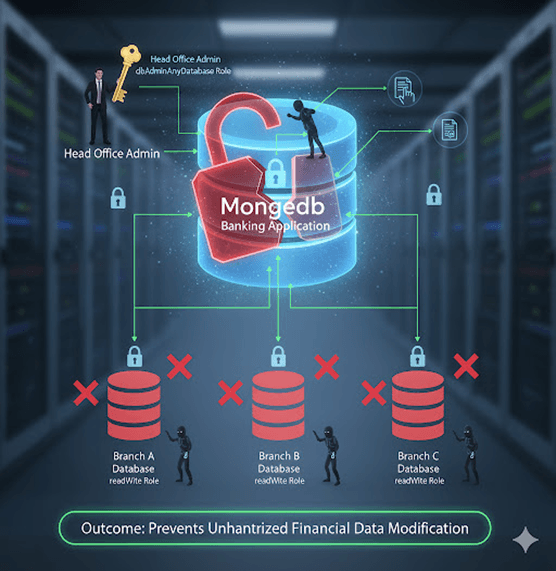
1. Banking Application
Each branch’s system operator gets a readWrite role for their own database but cannot access others.
The head office admin holds a dbAdminAnyDatabase role for overall maintenance.
Outcome: Prevents unauthorized financial data modification.
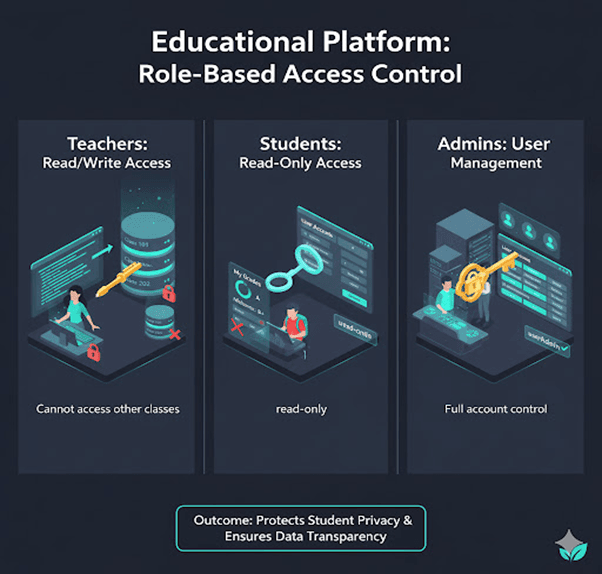
2. Educational Platform
Teachers have readWrite access to their class database.
Students get read-only access to their grades.
System admins have userAdmin access to manage accounts.
Outcome: Protects student privacy and ensures transparency.
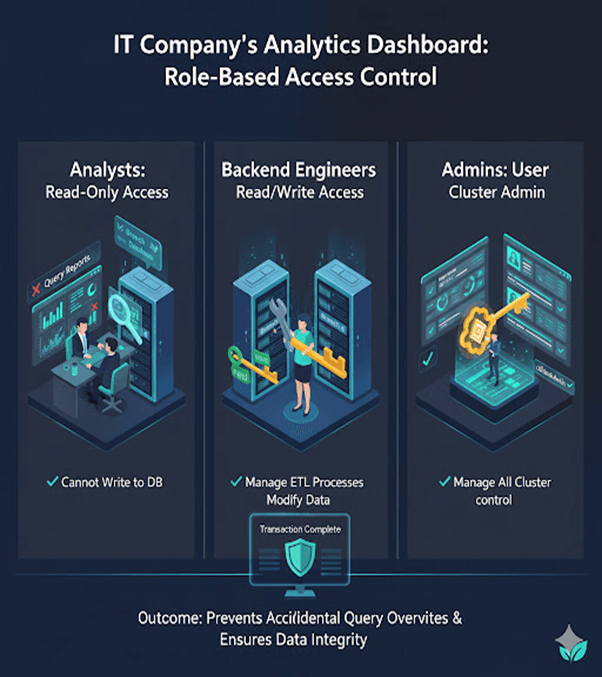
3. IT Company’s Analytics Dashboard
Analysts use a read-only role to query reports.
Backend engineers use readWrite to manage ETL processes.
Admins oversee all users using clusterAdmin roles.
Outcome: Prevents accidental query overwrites during data analysis.
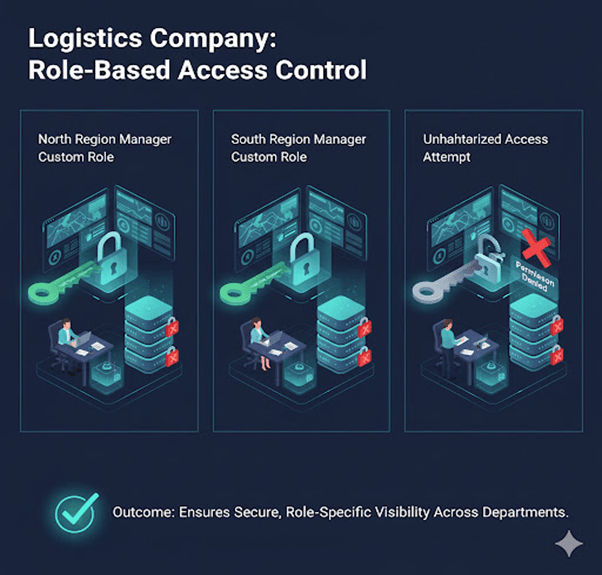
4. Logistics Company
Regional managers have custom roles to view shipments only in their assigned regions.
Outcome: Ensures secure, role-specific visibility across departments.
Top Tutorials

Python
Python is a popular and versatile programming language used for a wide variety of tasks, including web development, data analysis, artificial intelligence, and more.
SQL
The SQL for Beginners Tutorial is a concise and easy-to-follow guide designed for individuals new to Structured Query Language (SQL). It covers the fundamentals of SQL, a powerful programming language used for managing relational databases. The tutorial introduces key concepts such as creating, retrieving, updating, and deleting data in a database using SQL queries.

Data Science
Learn Data Science for free with our data science tutorial. Explore essential skills, tools, and techniques to master Data Science and kickstart your career

 in Bengaluru, India


All Courses (6)
Master's Degree (2)
Fellowship (2)
Certifications (2)


 Enabling Authorization



 in Bengaluru, India