
Your Success, Our Mission!
6000+ Careers Transformed.
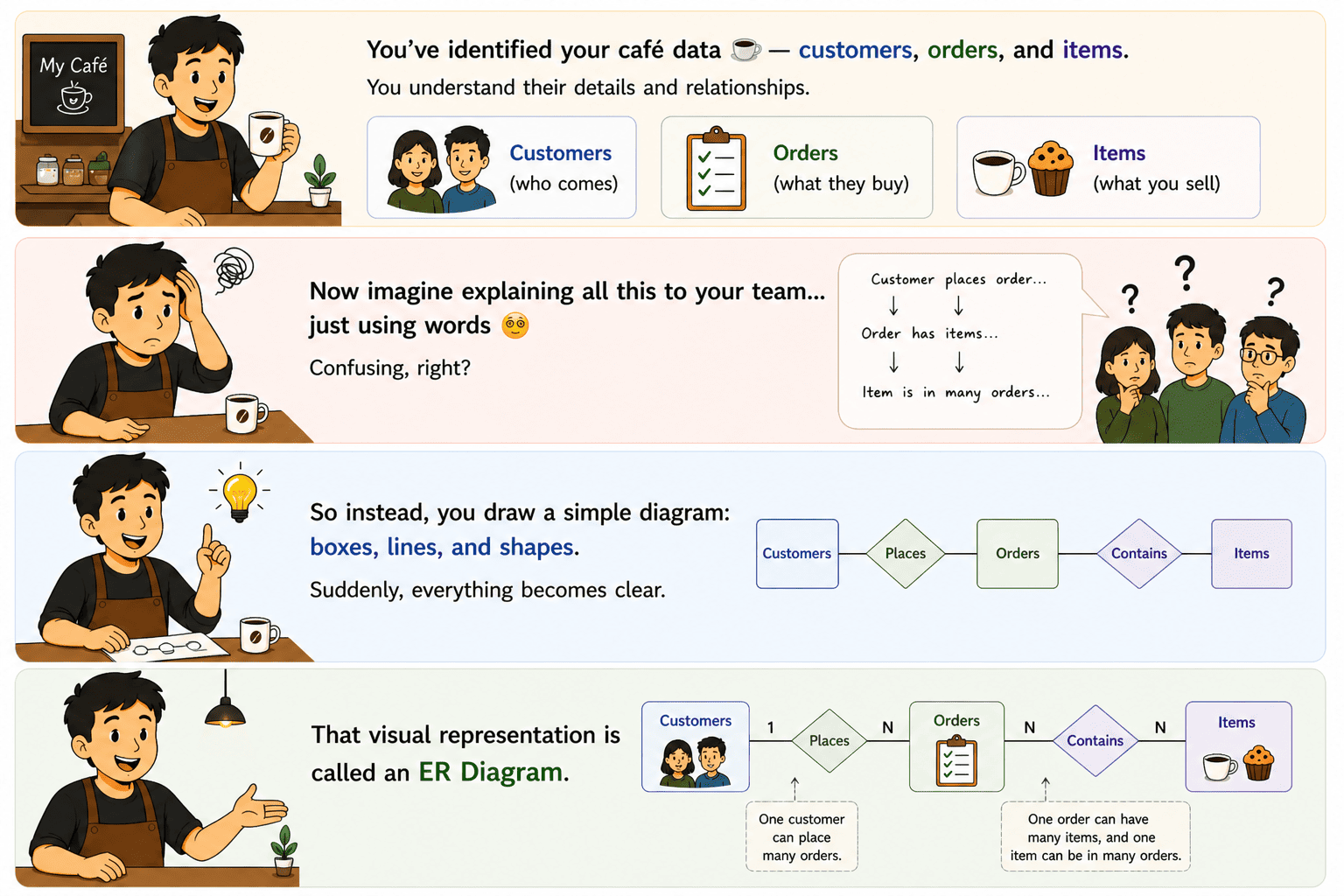
You’ve identified your café data customers, orders, and items.
You understand their details and relationships.
Now imagine explaining all this to your team… just using words
Confusing, right?
So instead, you draw a simple diagram: boxes, lines, and shapes.
Suddenly, everything becomes clear.
That visual representation is called an ER Diagram.
An ER Diagram (Entity-Relationship Diagram) is a visual representation of:
It helps you see the database structure before creating it
Each component has a specific symbol:
Component | Symbol Shape | Meaning |
| Entity | Rectangle | Object (Student, Order) |
| Attribute | Oval | Details (Name, Age) |
| Relationship | Diamond | Connection (Enrolls) |
Quick trick to remember:
Attributes are not all the same. They have types:
Type | Description | Example |
| Simple | Cannot be divided | Age |
| Composite | Can be divided | Full Name |
| Derived | Calculated | Age from DOB |
| Multi-valued | Multiple values possible | Phone Numbers |
| Student(Student_ID, Name) Course(Course_ID, Course_Name) Enrollment(Student_ID, Course_ID) |
✔ Use clear names for entities
✔ Avoid duplicate attributes
✔ Define relationships properly
✔ Show primary keys (important attributes)
Real Life Example
Top Tutorials

Python
Python is a popular and versatile programming language used for a wide variety of tasks, including web development, data analysis, artificial intelligence, and more.

SQL
The SQL for Beginners Tutorial is a concise and easy-to-follow guide designed for individuals new to Structured Query Language (SQL). It covers the fundamentals of SQL, a powerful programming language used for managing relational databases. The tutorial introduces key concepts such as creating, retrieving, updating, and deleting data in a database using SQL queries.

Data Science
Learn Data Science for free with our data science tutorial. Explore essential skills, tools, and techniques to master Data Science and kickstart your career

 in Bengaluru, India



All Courses (6)
Master's Degree (2)
Professional Certifications (4)
Ideal for working professionals and graduates
Outcomes: 5-40 LPA Job + Masters Degree

 ER Diagram Basics

 in Bengaluru, India