
Your Success, Our Mission!
6000+ Careers Transformed.
Imagine you’ve just signed up for Google Cloud
You want to:
But instead of writing complex commands, you open a dashboard…
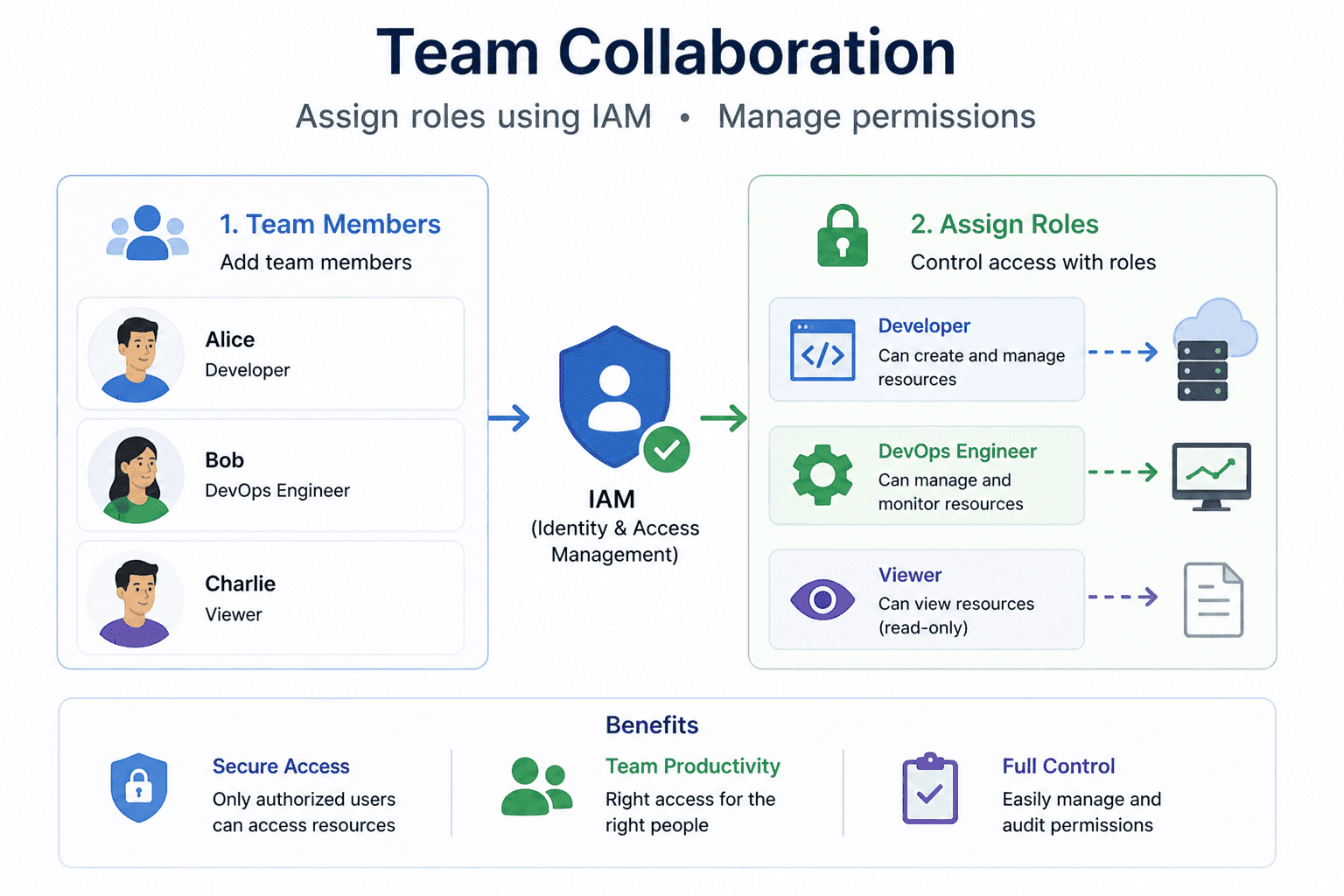
With just a few clicks:
This powerful control panel is called the GCP Console
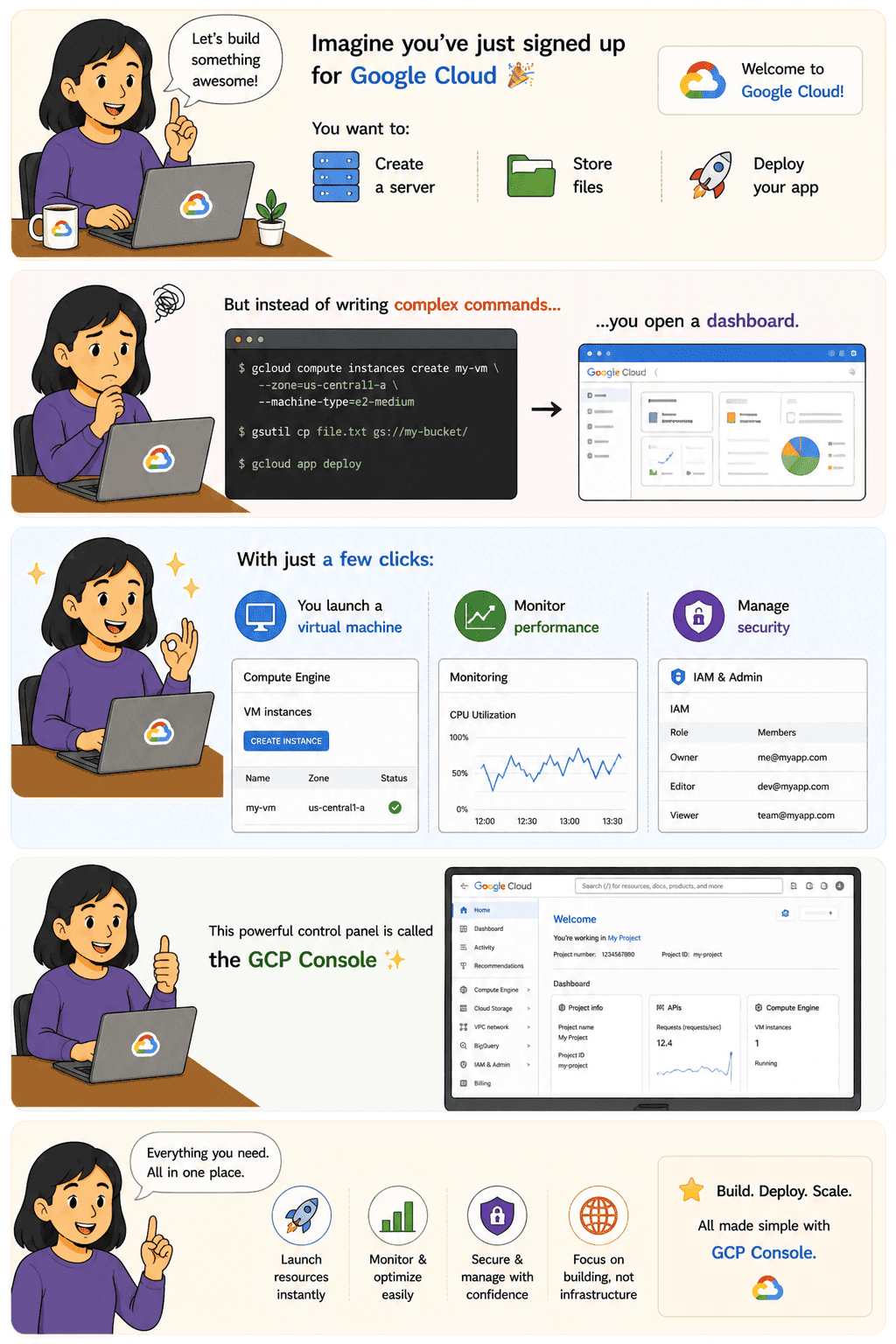
The GCP Console is a web-based interface that allows you to manage all your Google Cloud resources visually.
It is the central hub where you:
Section | Purpose |
| Navigation Menu | Access all services |
| Dashboard | View project summary |
| IAM & Admin | Manage access |
| Billing | Cost tracking |
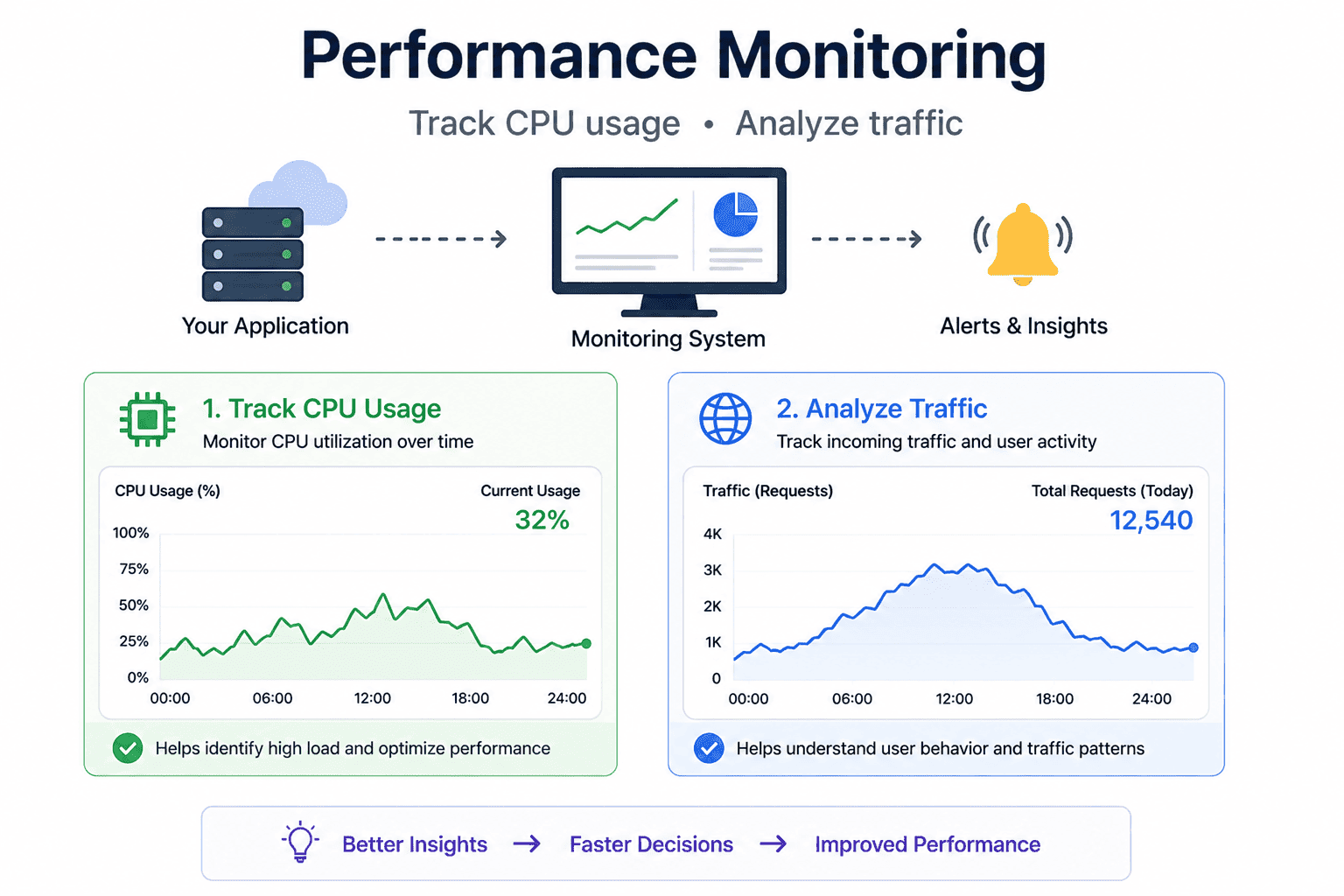
| Monitoring | Performance insights |
Technical Example (CLI Alternative)
Even though Console is visual, you can do the same via CLI:
| gcloud projects list |
Console = GUI
gcloud CLI = Command Line
Real-Life Use Cases
Top Tutorials

Python
Python is a popular and versatile programming language used for a wide variety of tasks, including web development, data analysis, artificial intelligence, and more.
SQL
The SQL for Beginners Tutorial is a concise and easy-to-follow guide designed for individuals new to Structured Query Language (SQL). It covers the fundamentals of SQL, a powerful programming language used for managing relational databases. The tutorial introduces key concepts such as creating, retrieving, updating, and deleting data in a database using SQL queries.
Data Science
Learn Data Science for free with our data science tutorial. Explore essential skills, tools, and techniques to master Data Science and kickstart your career

 in Bengaluru, India



All Courses (6)
Master's Degree (2)
Professional Certifications (4)
Ideal for working professionals and graduates
Outcomes: 5-40 LPA Job + Masters Degree

 What is Cloud Computing?
 in Bengaluru, India